Roll Pets to Fight Controls, HUD & Menus
Where every important button lives on PC and mobile.
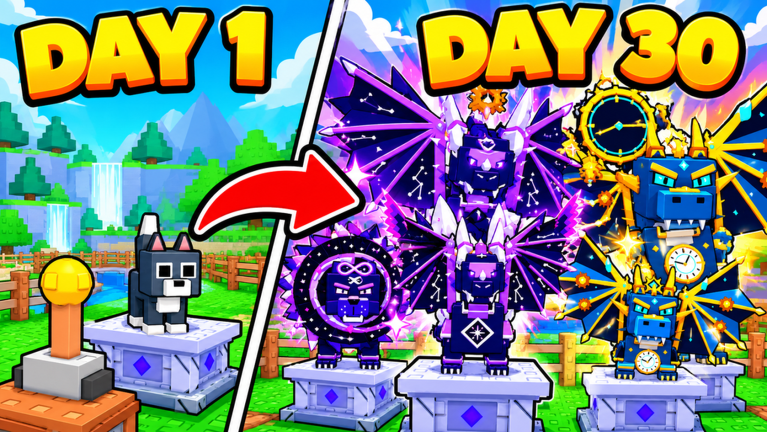
Roll Pets to Fight is easy to learn and easy to mis-click when the HUD is busy. This controls guide maps the left-side Codes button, the rolling lever, pen placement UI, loot selling, Upgrade Tree access, the Rebirth menu, and dungeon party panels so you spend less time hunting buttons and more time clearing bosses. Use it with Getting Started on day one and with Pets and Pens whenever you reseat after a big Gold dump.
Beacon Interactive’s Roblox incremental keeps the loop visible on-screen: pull the lever, roll pets across about 100 companions and 13 rarities, seat fighters in pens, fight bosses for loot, sell for Gold, then unlock biomes from Meadow toward Void Rift. Knowing which panel does what prevents the classic mistake of rolling while pens sit empty or missing a milestone code because the Codes button was never opened.
HUD overview
After the experience finishes loading, the main play space shows your pens, nearby bosses or arena cues, and side UI. The Codes entry sits on the left side of the screen—open it early every session. Currency readouts (Gold, Crystals, Cash from promos) usually sit near the top or edges so you can judge whether to buy, roll, or sell next. If a tutorial arrow is still active, finish those prompts first so the full HUD appears; half-loaded UI is the top reason new players cannot find Redeem.
Treat the HUD as a checklist, not decoration:
- Confirm Codes is reachable on the left.
- Find the lever before you open every shop tab.
- Locate pens and the place/remove flow.
- Find the sell or loot conversion control.
- Note Upgrade Tree and Rebirth entry points so you do not rebirth by accident.
- Learn where party / Dungeon UI appears before you queue with friends.
Codes button (left side)
Promo codes are one of the fastest early boosts in Roll Pets to Fight. Official strings listed on the Roblox experience description in November 2026 include 1000CCU, 10000FAVS, and ADMINABUSE. Treat ADMINABUSE as possibly event-only even when it appears in the description—redeem to confirm, then move on if it fails.
Redeem flow:
- Tap or click Codes on the left.
- Focus the text box and paste or type the string exactly.
- Press Redeem and watch for a success toast.
Full troubleshooting lives on How to Redeem Codes. Keep the Codes Hub open on a second device if you are copying strings quickly after a patch.
Rolling lever
The lever is your primary RNG acquisition tool. Interact with it when you have pen slots ready or when you intentionally want fresh rolls after selling loot. Bad habit: mashing the lever while every pen is empty of better pets you already own in inventory. Good habit: seat first, roll second, sell third.
After a successful roll, check whether the new pet upgrades your weakest seated fighter. If it does not, either store it as a dungeon backup or keep farming bosses instead of tilting into more pulls. Depth on seating strategy is in Pets and Pens.
Pens placement UI
Pens are the combat board. Open the placement UI to move pets from inventory into active slots. Empty slots mean zero contribution to boss timers. When the UI shows multiple slots, fill every unlocked pen before polishing a single hero.
Practical placement controls habits:
- Select the pet, then the target pen—confirm the swap if the game asks.
- Replace the weakest slot first after shop buys or lucky rolls.
- Keep a mental bench for Dungeon parties (up to four players) so you are not scrambling mid-queue.
- Re-open pens after Upgrade Tree purchases that change relative power.
If bosses feel stuck, the fix is usually the pens UI, not a secret settings toggle.
Selling loot
Boss clears drop loot you convert into Gold. Find the sell or inventory conversion control after each productive wave. Hoarding “for later” delays the shop pets and Upgrade Tree nodes that make the next clear faster. A clean cadence is: clear → sell → reseat or buy → clear again.
Gold sinks that matter early: filling pens, cheap permanent nodes, and selective shop pets. Avoid dumping an entire Cash code into vanity before your board is full—see economy notes on the Guides Hub and upcoming Gold-focused pages as you expand your reading list.
Upgrade Tree access
Open the Upgrade Tree when you have a Gold buffer and want permanent multipliers, relics, potions, or pet-level support. The tree is where long-term power lives; consumables are tools, not a substitute for nodes. Walkthrough and spend order live in Upgrade Tree.
On both PC and mobile, close the tree fully before you pull the lever again so you do not mis-tap a purchase. After buying a node, glance at pens—sometimes the right move is reseating rather than another roll.
Rebirth menu
The Rebirth menu promises lasting multipliers in exchange for short-term reset pain. Do not open it during the first confused hour. Read How to Rebirth so you know what you keep, what you lose, and when the math is positive. Confirm prompts carefully on mobile; fat-finger rebirths feel worse than a missed code.
If the menu looks tempting after a lucky high-rarity roll, still check pens and tree progress first. Rebirthing a chaotic board just multiplies a mess.
Dungeon party UI
Endless Dungeon supports parties of up to four and feeds the TOP DUNGEON leaderboard fantasy. Party UI typically covers invite/join, ready states, and run start. Before you queue:
- Seat leveled pets and bring backups.
- Agree who carries potions.
- Confirm everyone redeemed personal codes—rewards are per account.
Details and etiquette sit in the Dungeon guide and Players Hub. Underleveled boards waste potion stocks faster than any HUD tip can save.
Mobile vs PC tips
PC. Mouse precision makes lever timing, pen swaps, and tree clicks easier. Use a second monitor or phone browser for the Codes Hub list. Watch for hover tooltips on upgrades before buying.
Mobile. Tap targets are smaller. Zoom your mental map: left edge for Codes, center for pens and lever, menus for tree/rebirth/dungeon. Rotate to landscape if buttons overlap. Pause movement before opening Redeem so the text box does not lose focus. After a client update, re-find Codes—UI scales sometimes shift icons slightly.
Both. Wait for the HUD to finish loading before you declare a button “missing.” Finish tutorial locks. If Redeem fails, re-check spelling before assuming the control is broken.
Session warm-up using controls
- Load in → open left Codes → redeem live strings (How to Redeem).
- Audit pens; fill empties (Pets and Pens).
- Pull the lever only after seats look sane.
- Fight, sell loot, then open Upgrade Tree if Gold allows.
- Ignore Rebirth until the guide says you are ready.
- Open Dungeon party UI only with a prepared board.
That warm-up turns the HUD into a progression checklist instead of a mystery panel wall.
Related guides
- Getting Started — first-session loop
- How to Redeem Codes — Codes button detail
- Pets and Pens — seating after every control action
- Dungeon — party UI in context
- Upgrade Tree and How to Rebirth — meta menus
- Guides Hub — full walkthrough index
Master the buttons once. Every later system in Roll Pets to Fight assumes you can reach Codes, pens, sell, tree, rebirth, and dungeon without fighting the HUD.
Frequently Asked Questions
Quick answers for Roll Pets to Fight players.
Where is the Codes button in Roll Pets to Fight?
On the left side of the HUD. Open it, enter the code in the text box, and press Redeem.
What should I click first each session?
Codes on the left, then audit pens before heavy lever rolling so seats are full.
How do I avoid accidental Rebirths on mobile?
Open the Rebirth menu only when intentional, read confirms carefully, and follow the How to Rebirth guide before resetting.
Where do I manage dungeon parties?
Use the Dungeon party UI to invite or join up to four players, then start only with leveled pens ready.
PC or mobile — which is easier for controls?
PC is more precise for pens and tree clicks; mobile works fine in landscape if you pause before Redeem and menu taps.